Samsung IPTV
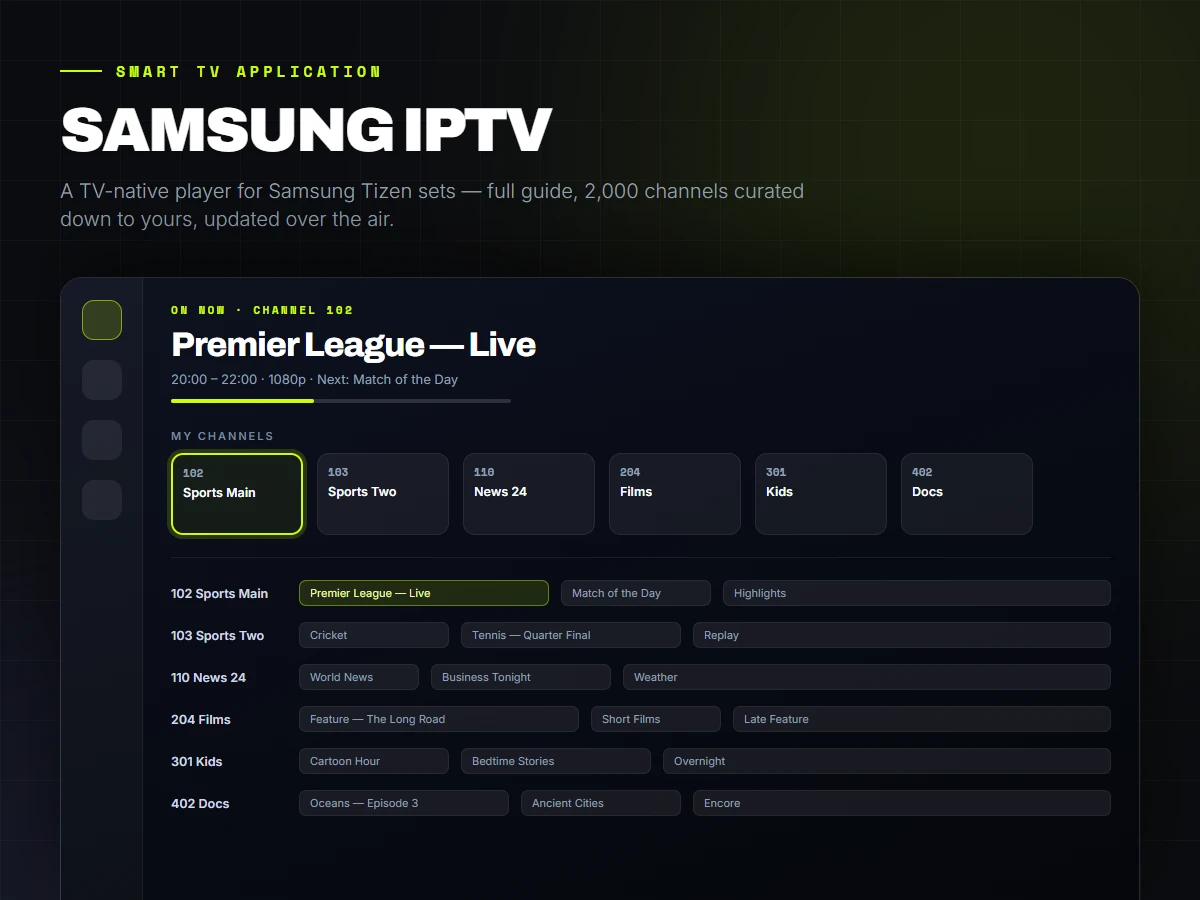
A television application for Samsung sets going back to 2017 — a full guide, films, series and two thousand channels — built against a browser engine from 2016 and updated over the air without touching a single TV.
The Client
The client watched a subscription IPTV service on Samsung televisions through whatever generic player they could find. Those players are built for phones: menus that assume a touchscreen, channel lists two thousand rows long with no way to change them, and a guide that either does not load or takes the set down with it.
What they wanted was something that behaved like a television — driven entirely by the remote, fast to move around, and showing their forty channels rather than the provider's two thousand.
The Brief
Build for the remote control, not the mouse. Every screen has to be navigable with four arrows, OK and Back, with focus that is obvious from across a room.
Support the sets the household already owns — which meant Samsung Tizen 3.0, running a 2016 browser engine on roughly a gigabyte of memory.
Make it maintainable. Signing and side-loading a package onto every television for every small change was not a workable way to run the thing.
What We Built.
A TV-native interface
Spatial navigation, channels that preview as you move down the list, direct number entry that commits as soon as the number is unambiguous, and the coloured remote buttons wired to the actions a viewer actually repeats.
A guide that loads on a television
The obvious approach — importing the provider's full schedule file — is a 50–200 MB download and an out-of-memory crash on a TV. Each guide row instead requests its own schedule as it scrolls into view and caches it, so opening the guide across two thousand channels costs seven requests rather than a gigabyte of memory.
Turning two thousand channels into forty
A channel editor that hides, reorders and renames the provider's list, and a category editor that does the same one level up for live TV, films and series. Everything is a filter rather than a deletion, so nothing is ever lost, and it is stored per portal because stream numbering belongs to the provider.
Everything a set-top box does
Films and series with resume points shared across the televisions in the house, favourites, search, autoplay of the next episode that waits until the credits are actually over, programme reminders that surface over whatever is playing, a parental PIN with a kids mode behind it, and sleep and idle timers so live TV is not left running overnight.
A compatibility gate in the build
Tizen 3.0 runs Chromium 56, and a modern toolchain will happily emit code it cannot parse — which shows up as a black screen on the television and nothing at all in any log. The build refuses to ship anything using CSS Grid, flex gap, colour-mix, backdrop-filter or modern module syntax, so the failure is caught on the workstation instead of in the lounge room.
Over-the-air updates that cannot brick a set
The installed application keeps its own shell locally and pulls only its code from hosting at launch. A change ships with one command and appears on every television at the next launch — and if a build fails to render, the set falls back to the copy inside the widget on its own and heals when the next deploy lands.
A development setup with no TV in it
A mock portal serves two thousand channels, six hundred films and a week of schedule data locally, with an on-screen Samsung remote that runs on a phone — so the application can be built and tested without a television in the room.
Built With
- React
- TypeScript
- Samsung Tizen
- Vite
- Tailwind CSS
- IndexedDB
- HLS / AVPlay
- Xtream Codes & M3U
- Firebase Hosting
Services Used
Want something like this?
Tell us what your business does and what the site or system has to achieve. We will come back with what we would build, what it costs and how long it takes.